LAYER SPLITTER
One track in, four layers out of it, and one track back.
Coming soon 26 days, everything works
Buy a license
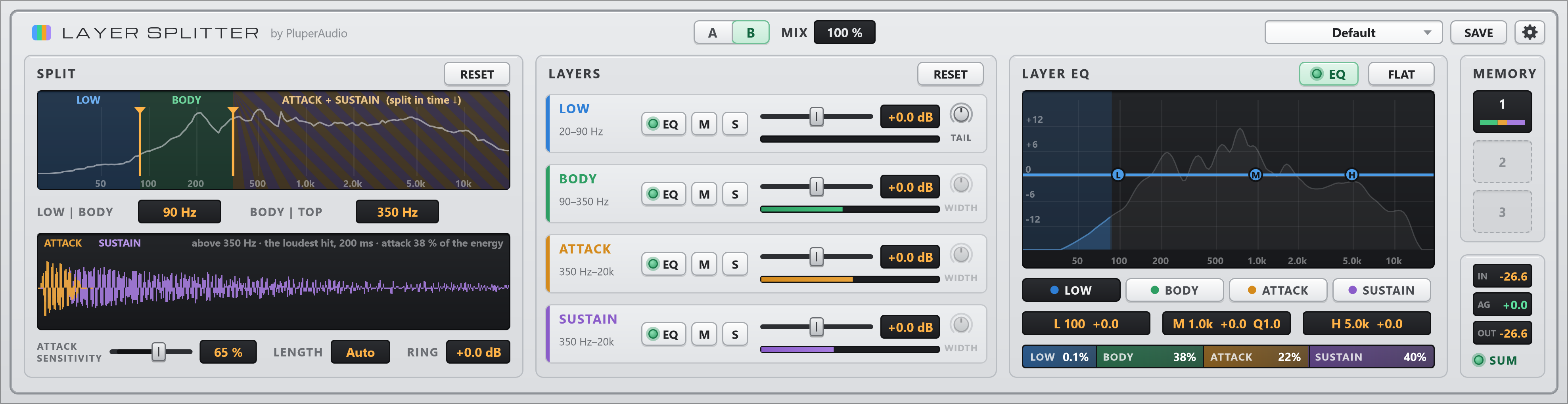
One track in, four layers out of it, and one track back.
Any recording, any instrument: drums, bass, guitar, piano, vocals. Two layers are cut by frequency, two by time, and each one is yours to set: the weight, the tone, the front of every note and what rings after it.
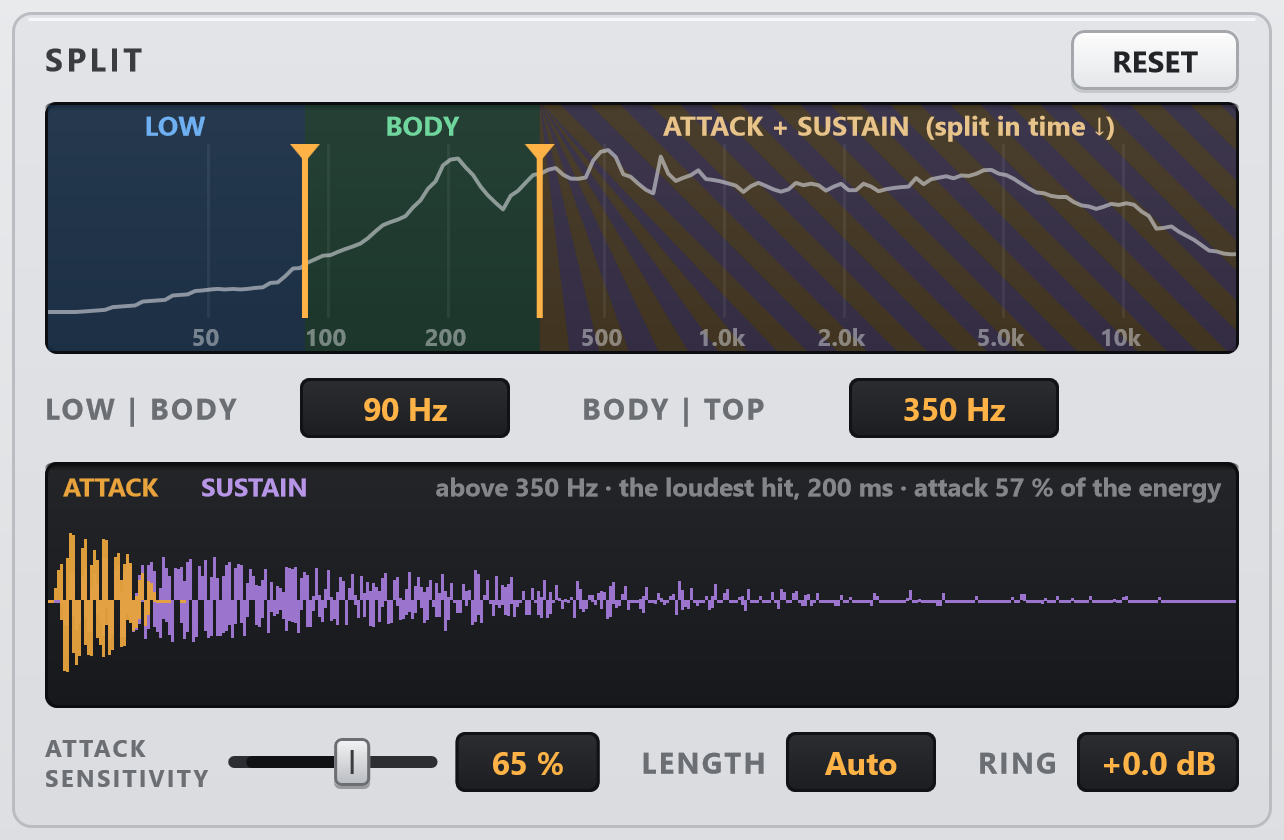
Set the two frequency splits on the track’s own spectrum. The loudest note or hit is drawn below it, painted ATTACK and SUSTAIN, so you see what ATTACK SENSITIVITY and LENGTH take before you hear it.
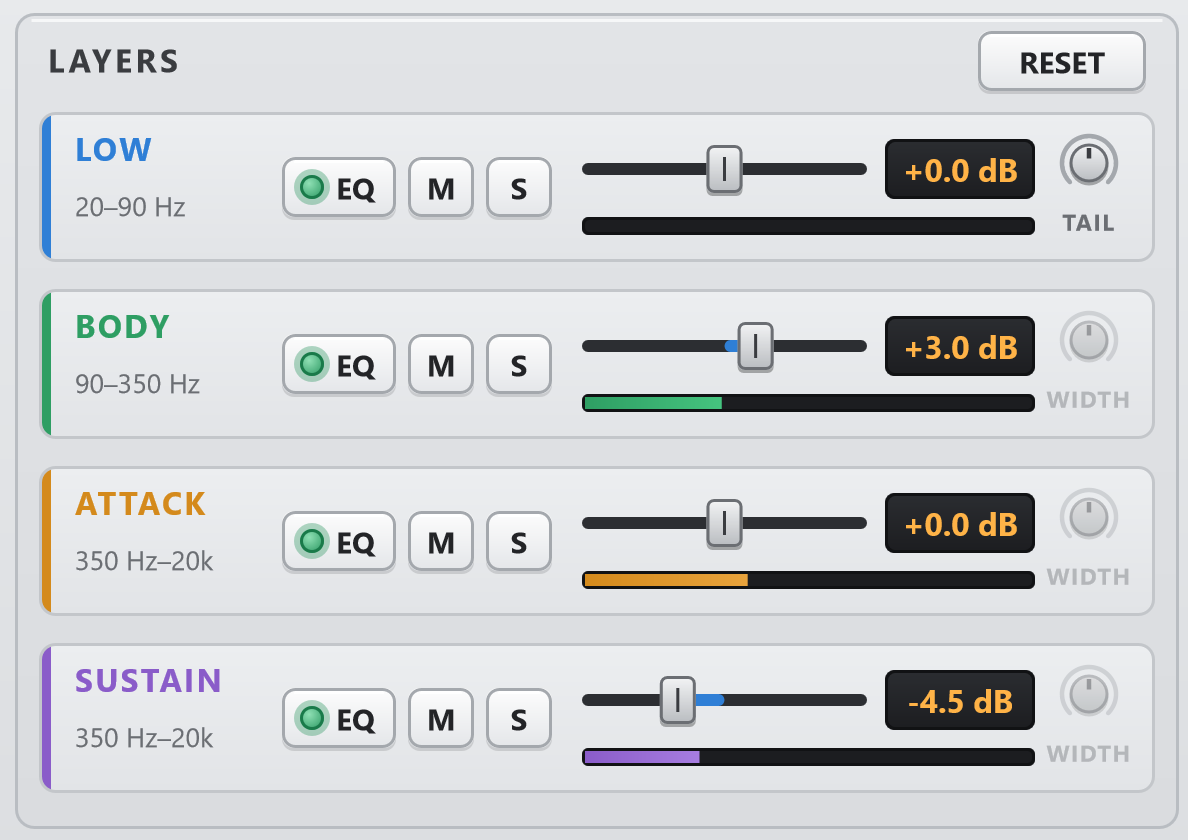
A fader, mute and solo for each layer. TAIL raises or lowers LOW’s boom after each note or hit; WIDTH opens BODY, ATTACK and SUSTAIN on a stereo track.
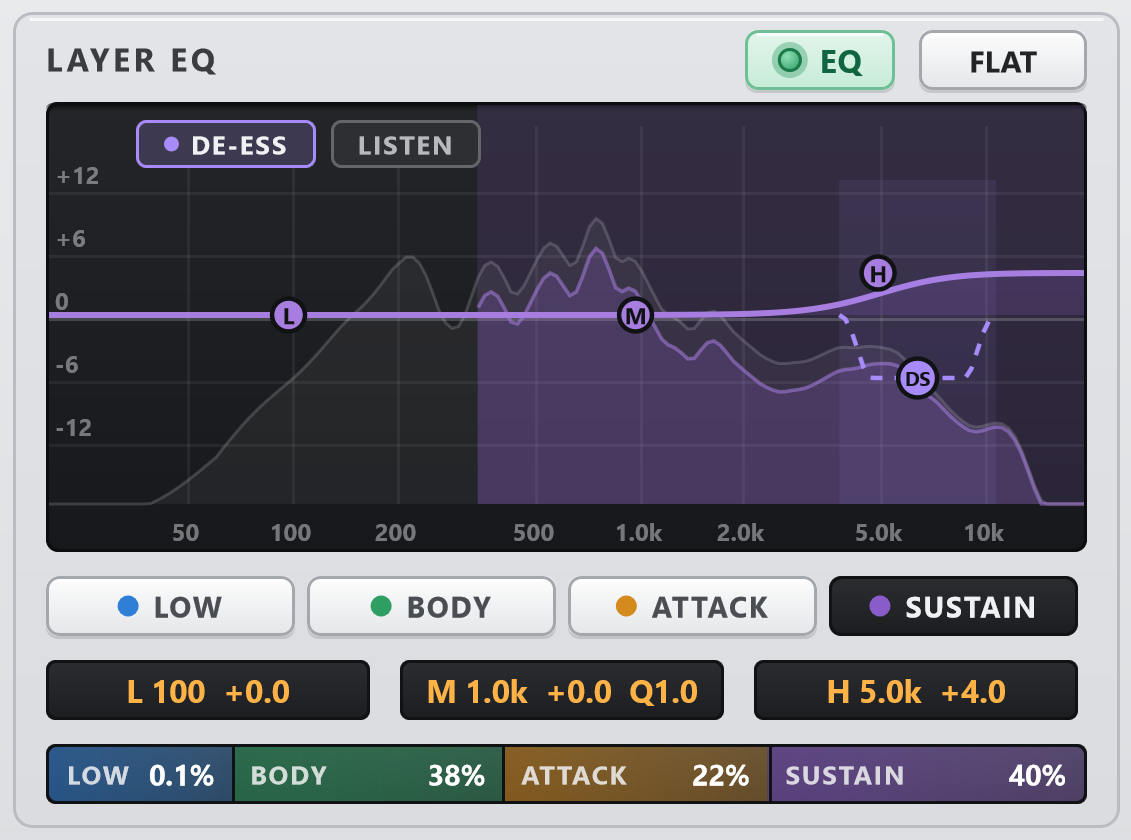
A three-band EQ on every layer, over the live spectrum, and a de-esser on SUSTAIN with a LISTEN button.
The crossovers are zero-phase. With every control at its default the output is the input, to floating-point rounding, and the green SUM lamp shows it live. When you do nothing, it does nothing.
Always on. When the balance between the layers changes, the track keeps its loudness, so you judge the balance, not the volume. A and B play at the same level.
| System | Windows 10 or 11, 64-bit |
| Format | VST3, 64-bit |
| Hosts | Studio One, Cubase, Reaper, Ableton Live, FL Studio, Bitwig and other VST3 hosts |
| Tracks | Mono or stereo |
| Latency | ≈126 ms, reported to the host |
| Extras | No runtime to install, no internet needed |